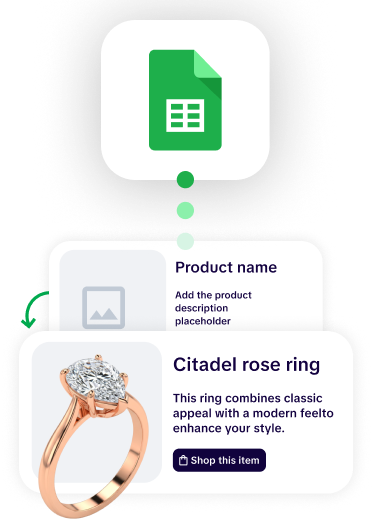
Retailers outgrow basic flipbook software when the bottleneck stops being presentation and starts being production. Flipbook tools convert a finished PDF into an interactive online publication. They do not build the catalog, and they do not know anything about your product data. So the moment your catalog has thousands of SKUs, prices that change monthly, several regions or sales channels, and more than one team touching it, every update still requires a designer to rebuild a layout and re-upload a file. Automated catalog platforms invert that model: the catalog is generated from your product data (spreadsheet, PIM, or ERP), so an update means syncing a feed instead of redesigning pages.
The practical signal is simple. If your catalog is late, wrong, or expensive because of how it gets made rather than how it gets viewed, you have outgrown flipbook software.
Catalogy is built for exactly that transition: it generates branded catalogs from product data at scale and keeps them synced as prices and assortments change.
Worth being straight about this, because the honest version is more persuasive than the dismissive one.
Flipbook tools solved a real problem, and they solved it well:
If you publish one seasonal lookbook a year, a small assortment that rarely changes, or content-first publications like magazines and brand books, a flipbook tool is the correct tool. Nothing in this article argues otherwise. Upgrading when you do not need to is just a more expensive way to do the same job.
The problem is that flipbook software is a presentation layer. Everything upstream of the PDF stays manual. And retail operations grow specifically in the direction that makes upstream manual work unbearable.

These are the failure patterns that come up again and again in conversations with retail and wholesale teams evaluating a change.
The first wall is arithmetic. A 300-page catalog with 15,000 to 30,000 SKUs cannot be laid out by hand at any reasonable cost. Teams in this position almost always do one of two things: they outsource pagination to an external vendor, or they run a legacy scripted setup that only one person understands.
Both create the same failure mode. Wholesale distributors describe sending a change request to an external pagination vendor and waiting a week for a corrected file, often with new errors introduced. The catalog becomes something you request rather than something you control.
What to look for instead: generation from a data source, where product pages are produced automatically from a template and a feed, and adding 400 new SKUs is a re-sync rather than a redesign project.
This is the single most common trigger. Flipbook software has no relationship with your pricing data, so a price change means: update the source system, tell a designer, wait for a new PDF, re-upload, and hope no one is still circulating the old link.
The version that actually costs money is subtler. When pricing lives in three places (an ERP or source system, a master spreadsheet, and a CRM) and three different people update them, they drift. Quoted prices and charged prices stop matching. That is not a catalog problem in anyone's org chart, but the catalog is where the customer sees it.
What to look for instead: a live connection between the catalog and the pricing source, plus the ability to sync on command rather than automatically, so a live customer-facing document never changes underneath an open negotiation.
Growth multiplies catalogs. A distributor with ten branches carries different stock in each. A wholesaler running tiered pricing needs a silver, gold, and diamond version of the same assortment. A brand selling through distributors needs the distributor's logo on the cover, not its own.
With flipbook software, each of those is a separate PDF, separately designed, separately maintained. Ten variants means ten times the production work and ten chances to publish the wrong one.
What to look for instead: multiple outputs generated from one master data set, with filtered product selections, swappable branding on cover pages, and separate price columns mapped per version.
A recurring ask from sales-led organizations: let a rep build a 20-product catalog for one customer, today, without opening a design ticket.
Flipbook tools cannot do this, because building the PDF is the hard part and the rep is not a designer. So reps either send the 300-page master catalog and tell the buyer to use Ctrl+F, or they ask marketing, which takes a week, by which point the deal has cooled.
What to look for instead: template-locked self-serve catalog building, where a rep selects SKUs from the master feed and gets a branded, correctly formatted catalog without touching layout. Role-based permissions matter here as much as the builder does.
Automation without brand control produces a different problem: layouts that technically populate but visually fail. Column headers colliding with product text, jam-packed pages, internal field names leaking into customer-facing documents. Teams running legacy scripted pagination describe exactly this, and it is why they stop trusting the output.
Meanwhile, hand-built catalogs drift the other way. Five people building pages in five slightly different ways produces five slightly different brands.
What to look for instead: brand-locked templates built to your guidelines, with element locking and guides so automated content lands in the same place every time, and design services available when a new template is needed rather than a support ticket queue.
Basic flipbook tools report views and maybe time on page. That answers "did anyone open it" and nothing else.
Once catalogs carry real revenue weight, the questions change: which products got clicked, which pages did buyers abandon, which regions engaged, which specific account opened the link you sent, and did any of that turn into a quote. Without that, catalog spend stays a cost centre because it cannot be attributed.
What to look for instead: per-product click data, heatmaps, per-page engagement, trackable links per recipient or segment, wishlist and quote-request capture, and a push into your CRM (HubSpot or Salesforce) so catalog engagement lands on the account record.
Spreadsheets are a fine starting point and a bad ending point. Most teams we speak to describe the spreadsheet as a waypoint: acceptable now, but the real goal is the catalog reading directly from the ERP or PIM so that no human retypes a price ever again.
Flipbook software has no such path. There is nothing to integrate, because the tool consumes a finished file. That means the ceiling is fixed the day you buy it.
What to look for instead: CSV and Google Sheets today, PIM and ERP sync and API tomorrow, on the same platform, so the upgrade is a configuration change rather than a re-platforming project.
The mature version of a catalog programme has requirements a flipbook player was never designed for:
What to look for instead: one source of truth producing digital, print-ready, and offline outputs, with permission controls that survive an IT review.
Not a maturity model, just a diagnostic. If three or more of these are true, the tool is now the constraint:
Buying decisions in this category go wrong in a predictable way: teams evaluate the viewer, because that is the demo-friendly part, and discover the production model too late.
Evaluate hard:
Catalogy is a catalog automation platform for product-heavy retail, wholesale, and distribution companies. Product data from a spreadsheet, Google Sheet, PIM, or ERP generates fully branded catalog pages against templates built to your brand guidelines. Prices and assortments update by syncing the feed rather than rebuilding the file.
Relevant to the break points above:
What is basic flipbook software?Flipbook software converts a finished PDF into an interactive online publication that readers can page through in a browser, usually adding clickable links, a table of contents, and basic view analytics. It handles presentation and distribution. It does not create the catalog or connect to product data. Catalogy covers both layers: it generates the catalog from your product data and publishes it as an interactive, trackable experience.
What is the difference between a flipbook and an automated catalog?A flipbook is a viewing format. An automated catalog is a production method. A flipbook displays whatever the source PDF contained. An automated catalog is generated from a product data source, so pages are created and updated from the data rather than redesigned by hand. An automated catalog can be presented as a flipbook, but the reverse is not true. Catalogy sits on the production side, generating catalogs from a spreadsheet, PIM, or ERP and delivering them as flipbooks, print-ready PDFs, or embedded pages.
When should a retailer switch from flipbook software to catalog automation?When the bottleneck moves from presentation to production. Common thresholds: more than a few thousand SKUs, price or assortment updates more than a few times a year, more than two catalog versions by region or channel, sales reps requesting custom catalogs, or a need for product-level engagement data. Retailers typically move to Catalogy once two or three of those apply at the same time, because that is the point where manual production stops being survivable.
Can I keep my existing PDF catalogs if I move to an automated platform?Yes. Automated catalog platforms typically ingest existing PDFs so legacy publications keep working while new catalogs are generated from data. The two coexist during migration. In Catalogy, an uploaded PDF becomes a fully interactive catalog with analytics and a table of contents, so nothing has to be rebuilt before you see value.
Does catalog automation replace our designers?No, it changes what they design. Designers build the branded templates that generate product pages, and continue producing covers, editorial spreads, and campaign pages. It removes repetitive pagination, not design. Catalogy templates are built to your brand guidelines, with locked elements so automated content lands in the same place every time, and design services are available when a new template is needed.
Can automated catalogs still be printed?Yes. Print-ready export from the same product data means the digital and printed catalogs share one source of truth, which removes the most common cause of the printed version being wrong. Catalogy exports print-ready PDFs from the same feed that powers the digital catalog, so both stay in step.