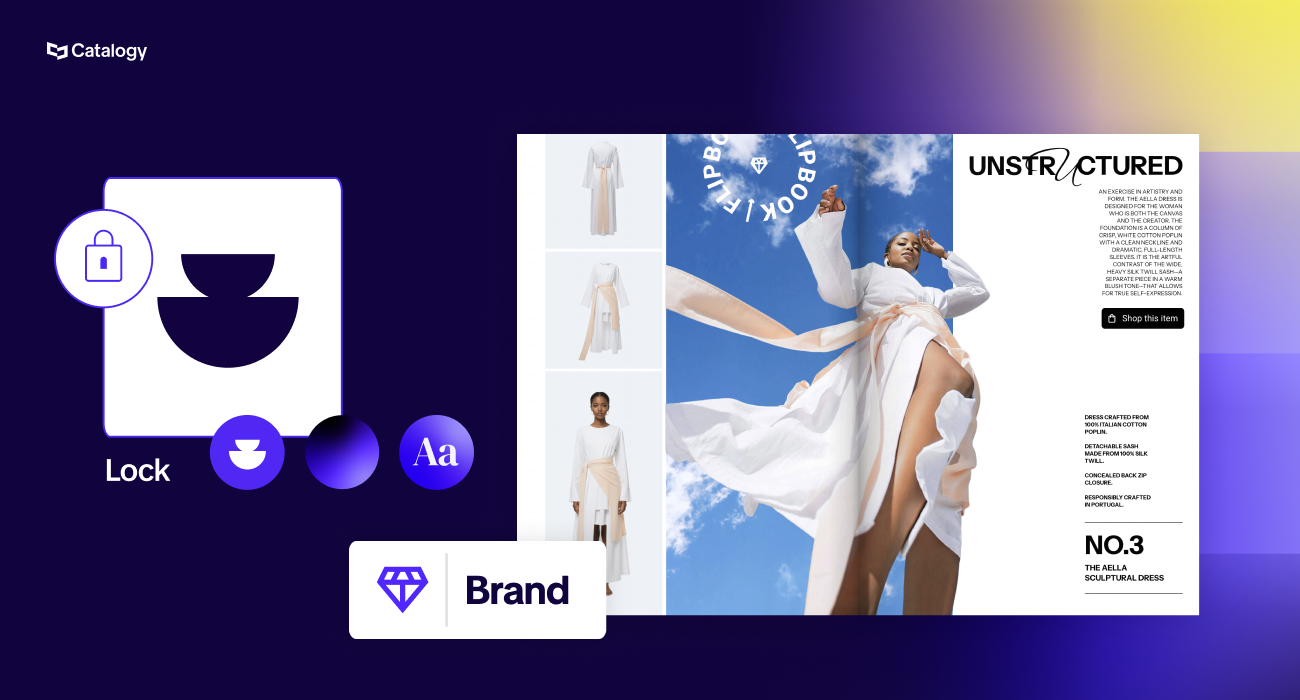
Brand consistency across catalogs is maintained by locking the elements that carry brand identity, such as logos, fonts, colors, and layout structure, while leaving product-level fields, images, and cover personalization editable. In practice this means four layers of control: a central brand kit, element-level locked templates, role-based permissions, and a workspace structure that inherits branding from the parent account.
Catalog platforms built for enterprise teams, such as Catalogy, combine all four, which is why a sales rep can build a customer-specific catalog in minutes and still produce something that would pass a brand audit.
Catalog brand governance is not a design problem. It is a scale problem, and it only appears at a specific moment: the day you decide that the marketing team should no longer be the only people allowed to build catalogs.
Up to that point, consistency is enforced by a bottleneck. One designer, one agency, or one product marketing manager touches every file, so every file looks right. It is slow and expensive, but it is safe.
Then the requests pile up. Sales wants a version with only the product lines a specific retailer buys. A regional team wants the same catalog with local pricing. Someone wants a twelve-page pitch document by Thursday. The bottleneck stops being a quality control mechanism and starts being the reason deals move slowly, and the answer is obvious: let more people build catalogs.
This is where the fear arrives, usually phrased almost identically by every brand owner who has lived through it. Someone in the field fancies themselves a designer. The logo gets stretched. A brand color becomes an approximation of a brand color. A licensed brand mark appears at 60 percent of its required clear space, and now there is a compliance conversation with the licensor.
So the perceived choice is between a bottleneck and brand drift. It is a false choice, and the rest of this article explains why.
Most companies attempt governance through documentation. A PDF brand book, a shared drive of approved assets, a Slack reminder, an annual training session.
This fails for three structural reasons:
Documentation is a request. Governance is an architecture. If brand consistency matters to your business, it has to be enforced by the tool, not by the goodwill of everyone using it.
Effective control is layered. Each layer catches a different category of mistake, and none of them alone is sufficient.
Upload your brand fonts, including the full family so that symbols and weights render correctly. Add brand colors by hex code rather than letting people pick visually. Load every approved logo variant. Save typography styles that combine font, weight, size, and letter spacing, so that a heading is a heading rather than a manual approximation of one.
The point is subtraction. When the only fonts available are your fonts, choosing the wrong one stops being possible.
This is the layer that does the heavy lifting, and the detail that matters is granularity. Locking a whole template protects the brand and kills usefulness, because then nothing can be personalized. Locking nothing protects usefulness and kills the brand.
Element-level locking means you decide, per object, what a downstream user can touch. A logo can be locked in position, at fixed proportions, so that it cannot be moved, resized, or stretched. A headline can be editable as text while its font, weight, and color stay locked, so the words change and the look does not. An image placeholder can be an editable mask, so that whatever a user drops in gets cropped and sized to the frame automatically rather than being manually resized into something slightly wrong.
The mental model to give your team: the template is a form, not a canvas.
Role design is where brand governance meets operational reality. A useful role hierarchy looks like this:
Two patterns are worth calling out.
The Contributor role is your approval workflow. A user can build a complete catalog and cannot make it public. Someone with publishing rights reviews it and pushes it live. For companies with licensed brands or regulated product data, this is the difference between a governance policy and a governance system.
The Agent role is your privacy layer for a distributed sales force. Fifty reps each building customer-specific catalogs do not need to browse each other's pricing, customer names, or account-specific assortments.
This is the collaboration model Catalogy is built around. Every seat is assigned one of these roles, so review and visibility are properties of the account rather than habits your team has to maintain. Multiple people can work in the same workspace, on the same templates, with a shared brand kit, while only the roles you designate can publish anything customer-facing.
For multi-brand or multi-region organizations, permissions inside a single environment are not enough. Structure matters.
A parent workspace holds the master brand kit. Child workspaces, one per sub-brand, region, or business unit, inherit that branding automatically while operating independently day to day. A regional team sees only its own catalogs and works only with assets approved for its market. When the parent brand updates a logo or adds a color, the change propagates rather than requiring fifty separate updates and one forgotten team still shipping the old mark.
The alternative model, everyone in one shared workspace, is legitimate and simpler, and it suits companies where all users work on the same brand and nobody minds mutual visibility. Choose deliberately rather than by default.
The phrase "lock it all down" is the instinct of a brand manager who has been burned. It is also how a rollout dies, because a template that permits no personalization gives a sales rep no reason to use it. Use this as a starting split and adjust to your risk profile.
The design principle underneath the table: lock the frame, open the contents. Brand identity lives in the frame. Sales value lives in the contents. Confusing the two is what produces either drift or non-adoption.
Companies producing under license operate under someone else's brand guidelines, with contractual consequences for getting it wrong. A licensor's style guide typically dictates logo clear space, approved color values, permitted backgrounds, minimum sizes, and what may and may not appear adjacent to the mark.
This makes the governance requirement stricter in two ways:
First, one template set is not enough
A portfolio with licensed lines needs a template per licensed brand, not a single house template with the logo swapped. Each licensor's guide is different, so each gets its own locked template built to that specification. Practically, this means mapping a template tree before you build anything: brand or license, then category, then page type. Companies with deep licensed portfolios frequently end up with dozens of product template pages, and the mapping exercise, usually done in a spreadsheet, is the real project.
Worth noting: template selection should be driven by a dedicated column in your product feed rather than inferred from a license property that may be empty. Explicit beats clever. An empty field silently falling back to the wrong template is exactly the failure mode that puts a licensed mark on an unapproved layout.
Second, cross-portfolio catalogs need to respect the template tree
A licensing manager who wants every product from one character property, pulled from six different categories, still needs each of those products presented on the layout approved for that property. The catalog is assembled by license, but styling follows the source of truth for that license.
Co-branding deserves its own rule
Sales teams want the customer's logo on the cover, and they should have it, because a cover with the dealer's mark on it converts better than a generic one. Do it with a locked placeholder mask sized to accept any logo proportionally, positioned at a fixed distance from your own mark. The rep drags in a file. Everything else on the cover is untouchable. Nobody negotiates clear space in the field.
Everything above assumes one language. The moment you publish the same catalog into six markets, three new failure modes appear, and only one of them is obvious.
The obvious one is asset approval by market. A logo variant, a claim, a certification mark, or a product image that is approved in Germany may not be approved in the UK or the US. Regional compliance content differs, energy ratings differ, and some products simply are not sold in some markets. Parent and child workspaces handle this cleanly: the child workspace for each market inherits the master brand kit and holds only the assets and assortment approved for that market. A regional team physically cannot reach for something it should not use.
The second failure mode is font coverage, and it is the one that quietly ruins launches. A brand font that renders perfectly in English may not include the full character set for Polish, Czech, Turkish, or Greek, and it certainly will not cover Cyrillic or CJK unless someone checked. What follows is either broken glyphs in a customer-facing catalog or, worse, a well-meaning local team substituting a similar-looking font that has the characters. That substitution is a brand violation created entirely by a technical gap. Audit character coverage per market before you build the template set, and load the full font family, including the weights and symbol sets your markets need, into the central brand kit.
The third failure mode is text expansion versus locked layout. German runs roughly 20 to 35 percent longer than English. Finnish and Russian expand too. Arabic and Hebrew reverse reading direction entirely. A cover headline frame sized precisely to an English string will overflow, clip, or force a local team to shrink type below your minimum size, which is a brand rule broken in the name of following a brand rule.
The fix is to design locked templates for the longest language you publish in, not the shortest, and to lock text styling while leaving generous frame tolerance. A useful discipline: build the master template in English, then test it with the German and Finnish strings before you lock anything. Whatever survives that becomes the frame.
Governance-wise, the same lock-the-frame principle holds, with one addition. Translated copy should be treated as product data, not as design. Pull localized product names, descriptions, specs, and legal lines from a language column in your feed or from your PIM, so that translation is a data operation with its own review chain, not something a regional user retypes into a template. That keeps a single source of truth for the words and a single source of truth for the look, which is the whole point.
For the deeper operational side of this, including translation workflows, regional pricing logic, and running one master catalog across many markets, see our guide to multi-region catalog publishing.
A note on the fear underneath this whole topic: that templates mean generic. Premium brands are the proof that they do not.
Pandora and their catalogs are held to a premium standard where every page has to look considered rather than generated. They generated their branded templates in Catalogy, built to their own aesthetic and locked to their brand specification. The result is not a compromise between brand quality and template production. It is a set of branded templates that happen to be beautiful, because the brand designed them that way before anything was locked.
This is the distinction that gets missed. "Template" describes how a design is reused, not how good it is. A locked template is only as strong as the design underneath it, which is exactly why the design step matters and why it belongs with designers rather than being absorbed into an automation setting.
The most common objection to template-based catalog production is that the existing catalog was designed in InDesign by people who are good at it, and a template system means starting over with something worse.
It does not. The workable path is to import the existing InDesign design as the base, then add the governance layer on top of it: interactive elements, editable placeholders, masks, and locks. Your designer keeps owning the design. The platform owns the enforcement. What changes is not who designs the catalog, but how many people can safely produce a version of it.
This reframing also settles the internal politics. Design teams resist template systems when they read them as a replacement. They adopt them quickly when they read them as a way to stop fielding one-off requests from sales.
The reason to invest in locked templates is not defensive. It is that brand control is the precondition for speed.
Companies that cannot enforce brand consistency technically are forced to enforce it procedurally, which means routing every catalog through a small number of people. That is the three-month catalog cycle, the agency invoice, the customer-specific version that never gets made because it is not worth the internal effort.
Companies that can enforce it technically can hand catalog creation to product managers, regional teams, and sales reps, and get a customer-specific catalog in minutes without a brand review. Same brand integrity, a fraction of the cycle time, and no design bottleneck.
Lock the frame. Open the contents. Then let your team move.
Catalogy gives enterprise teams element-level locked templates, a central brand kit, role-based permissions with publishing approval, and parent and child workspaces with inherited branding. Your existing InDesign designs come in as the base, our design team builds the template set with you, and every user gets trained during onboarding by a dedicated customer success manager.
Book a demo and we will map your template tree with you, including licensed brands, and show you exactly what a locked template looks like from a sales rep's side of the screen.
1. How do you manage brand consistency for licensed brands?
Build a separate locked template for each licensed brand, matching that licensor's style guide for clear space, color values, and permitted layouts. Drive template selection from an explicit field in your product feed so a product can never be rendered on the wrong brand's layout, and restrict publishing rights so a licensed catalog is reviewed before it goes public. Catalogy supports a template per licensed brand, with template selection driven by a dedicated column in your product feed and publishing restricted by role.
2. What is template locking in catalog software?
Template locking is the ability to make specific elements of a catalog template uneditable while leaving others open. Locks can be applied per element and per property, so a logo can be fixed in position and proportion, a headline can accept new text while its font and color stay locked, and an image placeholder can accept a new file that is automatically cropped to the frame. It is what allows a whole team to work from shared templates and stay on brand. Catalogy applies locks at this level of granularity, so brand-carrying elements stay fixed while product content and cover personalization remain editable.
3. Can sales reps create catalogs without breaking brand guidelines?
Yes, provided the templates are locked at the element level. Reps can select products, personalize cover text, and add a customer logo to a fixed placeholder, while brand assets, fonts, colors, and layout structure remain uneditable. The rep experiences the template as a form to complete rather than a design to modify. In Catalogy, this is handled with element-level locks and an Agent role that lets each rep build customer-specific catalogs without seeing other reps' accounts or pricing
4 .How do you manage brand consistency for licensed brands?
Build a separate locked template for each licensed brand, matching that licensor's style guide for clear space, color values, and permitted layouts. Drive template selection from an explicit field in your product feed so a product can never be rendered on the wrong brand's layout, and restrict publishing rights so a licensed catalog is reviewed before it goes public. Catalogy supports a template per licensed brand, with template selection driven by a dedicated column in your product feed and publishing restricted by role.
5. Does locking templates limit design flexibility?
It limits it downstream, which is the intent, and not upstream. Designers retain full flexibility when creating the template, including importing existing InDesign layouts into Catalogy as the base design. What gets restricted is the ability of non-designers to alter that work while they are producing individual catalogs from it. Premium brands including Pandora work this way. They generated their branded templates to their own design standard, which is why template-based production and high-end catalog design are not in conflict.