
Published on: May 5, 2026
If you are reading this, you are probably sitting on a 500-to-2,000-page master catalog, a product database locked inside a PIM or ERP, a small design team that cannot keep pace with the requests coming in from sales and regional marketing, and a growing pile of outdated PDFs circulating in the field with last year's pricing.
The decision to move from manual, print-first catalog production to a digital, automated workflow is no longer a question of whether it is a question of which platform, but rather whether that platform can actually handle the complexity of your operation at scale.
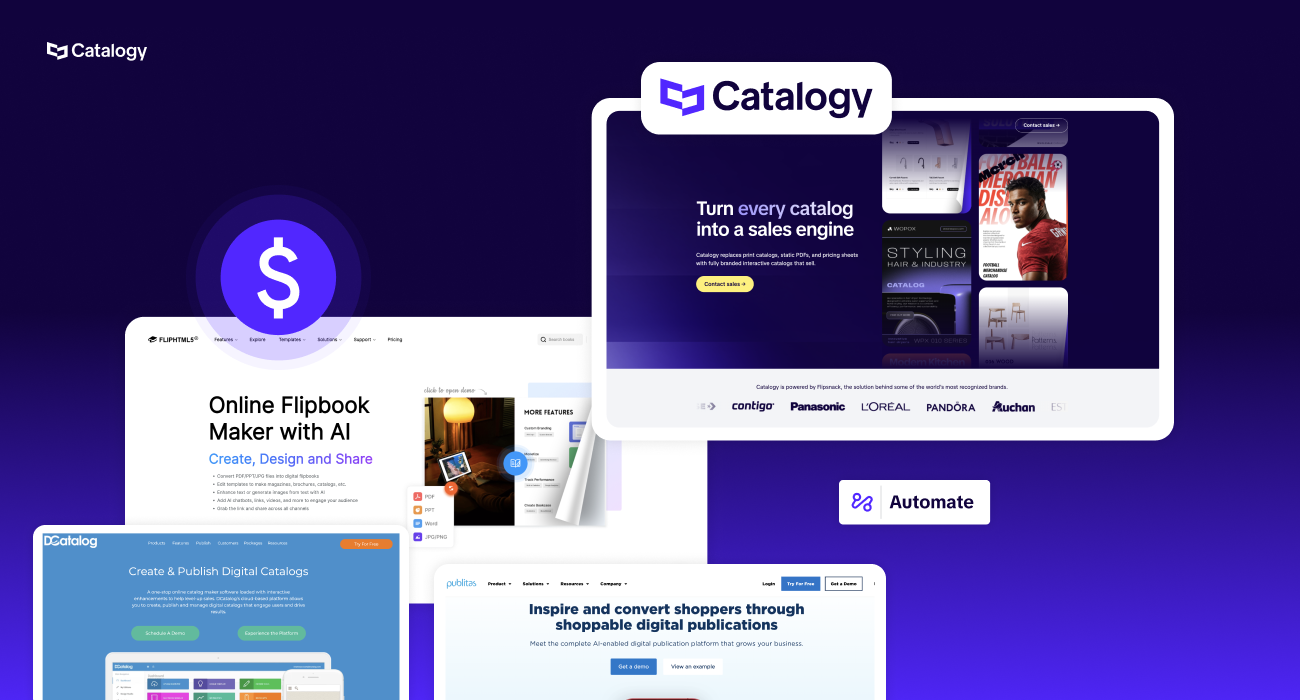
This guide covers the 10 most-evaluated platforms in the digital catalog category as of 2025–2026.
Each entry is assessed against the nine criteria enterprise buyers consistently flag as deal-breakers: PIM/ERP integration, automation depth, brand control, multi-user governance, analytics, shoppable interactivity, real-time updates, ease of use for non-designers, and enterprise support quality.
Where relevant, we flag which digital catalog platforms are better suited to specific use cases, so you can filter quickly rather than evaluate every option equally.
Before examining each platform, it is worth establishing the evaluation criteria clearly. Across enterprise RFPs, G2 and Capterra review patterns, and analyst coverage, the same eight decision factors appear repeatedly:

The pain that opens every buying conversation sounds like this: 'We have one giant master catalog, product data lives in our systems, reps want smaller targeted catalogs, design is a bottleneck, we have no idea who is reading what, and outdated materials are circulating in the field.'
Not all digital catalog platforms are built for the same problem. Here is how the 10 most-evaluated options in the category compare and what each one is actually built for:
Positioning & target market. Flipsnack is one of the best-known PDF-to-flipbook converters on the market, used by small businesses, mid-market marketing teams, and a growing number of enterprise accounts. It positions itself as a "design + publish" tool with a strong editor and template library, and it serves an extremely broad audience, from real-estate offices to large retailers.
Key features for enterprise catalog automation. Flipsnack offers PDF import and a from-scratch design studio, interactive elements (product tags, shopping lists, video, lead forms), workspaces with roles and permissions, all-time analytics, and, on its Enterprise tier, a Product Catalog Generator, API access, third-party integrations, SSO login and SSO sharing, advanced template locking, and HIPAA compliance. Flipsnack has been adding more catalog-automation features through a "Beta Automator" that connects data sources like Google Sheets to smart fields.
Pricing. Publicly listed plans start at roughly $14/month (Starter), $35/month (Professional), and $79/user/month (Business), with Team at $258/month equivalent and Enterprise at custom pricing. Several reviewers flag the gap between tiers as steep.
Limitations for enterprise. Flipsnack's strength is design accessibility, not deep enterprise data automation. PIM/ERP connections aren't a native, productized capability the way they are with purpose-built enterprise tools. Reviewers on G2 and Capterra praise ease of use but consistently mention page limits, occasional editor glitches, and pricing structure friction.
Reviews. G2 rating ~4.6/5 (400+ reviews). Praised: editor flexibility, customer support, page-flip UX. Criticized: limited analytics in lower tiers, multi-account dashboard clutter, jump between pricing tiers.
Notable note: Catalogy itself states that it is "powered by Flipsnack," meaning Catalogy is built on Flipsnack's underlying tech but layered with the PIM/ERP automation, governance, and dedicated implementation services that mid-market Flipsnack tiers don't include.
Positioning & target market. DCatalog (founded 2008, San Jose) is a long-standing digital publishing platform aimed at manufacturers, retailers, distributors, hospitality, universities, and B2B/wholesale companies. It pitches itself as an "intelligent, automated catalog creation" platform that turns data into polished, branded PDF catalogs and HTML5 flipbooks.
Key features. PDF and InDesign import, virtual catalog rack, version control, workflow management, embedded video, shoppable catalog with wishlist and add-to-cart, password-protected and gated catalogs, eCommerce integrations (Magento, Shopify, Mailchimp, Okta), Google Analytics, and an API for product feeds. DCatalog explicitly markets the ability to manage "thousands of SKUs" and supports automated catalog templates for sales sheets, price lists, and order forms.
Pricing. Custom only, not publicly listed. Reviewers describe it as "quite high for a small number of catalogs," but reasonable for enterprise scale.
Limitations. Reviewers report a learning curve and an interface that takes time to master; some mention bugs in early implementations and file-size restrictions. The platform leans heavily on its account managers/services team rather than self-serve workflows, which can slow down marketing teams that want to spin up catalogs independently.
Reviews. G2 rating ~4.7/5 (40+ reviews); Capterra similar. Praised: account management, customization depth, shoppable catalog feature, enterprise integrations. Criticized: not as intuitive as competitors, file restrictions, and occasional bugs.
Notable enterprise clients. Reviewer mentions include large retail and B2B publishing accounts, including references to Amazon's services teams as customer reps.
Positioning & target market. Publitas (Amsterdam-based, MACH Alliance member) targets retailers and consumer brands with a "discovery commerce" thesis: turn print catalogs and flyers into shoppable, immersive web/mobile experiences. It claims 2,000+ retailers and reports up to 3× higher conversion when shoppers engage with a digital publication.
Key features. PDF upload + dynamic template grids, product feed integration, automatic SKU detection and hotspot tagging, dynamic pricing, business rules to swap out-of-stock products, shoppable carts that link to Shopify/Magento/etc., WhatsApp and email checkout, vertical scrolling for mobile, GIF/3D/video media, Publitas Dynamic for feed-driven catalog generation, API access, Google Analytics integration, and a strong Enterprise plan for global retailers.
Pricing. Bronze ~$31/month, Silver ~$104/month, Gold ~$494/month, Enterprise custom (multi-thousand/month range typical).
Limitations. Publitas is heavily focused on the retail/B2C "discovery to purchase" use case. For B2B catalog automation, wholesale price lists, parts catalogs, distributor portals, and complex SKU structures pulled from an ERP, the workflow is less native. Some reviewers note that configuration requires back-and-forth with the Publitas team rather than full self-service, and advanced editing features can feel limited compared to dedicated design tools.
Reviews. G2 ~4.5/5; Capterra ~4.6/5. Praised: ease of use, dynamic publications, Google Analytics integration, customer success team, and Shopify integration. Criticized: limited self-service configuration, basic editor, archival/deletion friction, lower-tier feature gating.
Positioning & target market. iPaper, a Danish SaaS with 15+ years of catalog experience, focuses on retailers, B2B sellers, and direct-sales companies that want to convert printed leaflets and catalogs into interactive, shoppable digital experiences. The pitch: "1% of the cost of printing a catalog" and the ability to publish weekly online catalogs across many markets.
Key features. PDF-driven flipbook builder, Enrichment Automation that scans the PDF and auto-places shoppable hotspots, in-catalog shopping basket, checkout via email, WhatsApp, Viber, or direct webshop, advanced statistics including heatmaps, FTP/API integration for product data, branded domains, and integrations with HubSpot, Sleeknote, and Google Tag Manager.
Pricing. Commerce Light from €295/month, Commerce Plus from €660/month, Enterprise from €1,440/month, and Empire from €13,595/month.
Limitations. iPaper is purpose-built for retail-style promotional leaflets — strong for weekly flyers and seasonal catalogs but less native for B2B parts catalogs, technical product data, or complex multi-template marketing collateral. File size limits are flagged in reviews. GetApp also notes iPaper does not officially expose an API in some plan tiers, though API/FTP options exist on enterprise plans.
Reviews. G2 ~4.5/5; Capterra ~4.7/5. Praised: customer support quality, ease of use, automation of enrichments, and mobile experience. Criticized: file size limits, search/help discoverability, and manual enrichment can be time-consuming on lower tiers.
Notable customers. Conforama Switzerland, plus a long roster of European retailers running multi-market weekly leaflets.
Positioning & target market. FlippingBook (Online and Publisher) is a polished, broadly used digital flipbook tool serving more than 50,000 companies in 179 countries. Its sweet spot is small to mid-market marketing, sales, real estate, and enterprise teams that want a fast, attractive PDF-to-flipbook experience with solid sales tracking.
Key features. PDF-to-HTML5 conversion, custom branding and domains, links/videos/GIFs/pop-up galleries, lead capture forms, content protection (passwords, restricted access), document tracking with trackable links, shared folders for team collaboration, Google Analytics and Zapier integrations, Canva-to-FlippingBook workflow, ADA accessibility, and self-hosting on Enterprise/Publisher plans.
Pricing. FlippingBook Online tiers range across roughly six plans, typically: Starter (~$15–$45/mo), Professional, Advanced, Team, and Enterprise (custom). FlippingBook Publisher is a perpetual-license desktop product. Multiple reviewers describe pricing as on the higher side for what's offered.
Limitations. FlippingBook is fundamentally a PDF-flipbook engine you bring a finished PDF, and it makes it interactive. It does not generate catalogs from a PIM/ERP feed, has no rule-based catalog generation, and offers a limited multi-user role hierarchy versus dedicated enterprise platforms. Reviewers flag the inability to download flipbooks, pricing concerns, and limited integration depth (e.g., no native Adobe Express integration).
Reviews. G2 ~4.7/5 (290+ reviews). Praised: intuitive UX, fast setup, customer support (9.3/10 on G2), Canva integration, trackable links. Criticized: high pricing, limited deep integrations, you can't create from scratch, you must already have a PDF.
Notable customers. Unilever, Marriott, Intel, Cartier, FOX, Nestle (per the vendor).
Positioning & target market. Issuu, founded in 2006 and acquired by Bending Spoons in 2024, is the largest public digital publishing platform with 60M+ publications. It serves a massive cross-section: independent publishers, magazines, schools, marketers, and enterprise content teams that want a familiar flipbook experience and exposure on Issuu's content network.
Key features. PDF-to-flipbook conversion, "Story Cloud" content repurposing (flipbook → social posts → articles → GIFs), embeds, custom branding, Mailchimp/HubSpot/social integrations, public discovery via issuu.com, statistics and lead capture (on paid tiers), and basic content-marketing tools.
Pricing. Free tier (with Issuu watermark, 5 publications), Starter ~$19/mo, Premium ~$40/mo, Optimum ~$57/mo. Enterprise tiers are sales-led.
Limitations. Issuu is a content publishing and distribution platform, not a catalog automation platform. Lead capture, analytics, custom branding, and watermark removal are gated behind higher tiers, which reviewers consistently flag. There are no native PIM/ERP connectors, no real catalog automation, limited interactive shopping, and reviewers report ads showing on lower-tier publications, slow support response, and steep year-over-year price increases. Issuu also lacks the strong content protection and rich interactivity that B2B enterprise marketing teams typically need.
Reviews. G2 ~4.7/5; Trustpilot ~4.4/5; Software Advice notes recurring complaints about bot-only support. Praised: ease of use, public discoverability, free tier, polished flipbook UX. Criticized: feature gating, pricing increases, ads on low-tier publications, and weak support.
7. Joomag
Positioning & target market. Joomag positions itself as a "Content Experience Platform" a step beyond flipbook tools, blending digital publishing, sales enablement, CRM, email marketing, and analytics into one platform. Trusted by 5,000+ customers since 2009, it targets enterprise sales/marketing teams that want individual reader-journey tracking and content-based lead generation.
Key features. Crater Editor with 300+ templates, content automation and Gen AI for non-creatives to produce branded content from master templates and external data sources (DAM, CRM, CSV), interactive elements (forms, surveys, quizzes, 3D tours, dynamic charts), built-in CRM, email marketing, content gating, granular per-reader analytics, Salesforce/HubSpot/Zapier integrations, native mobile apps, branded domains, content monetization, and SSO.
Pricing. Officially "Let's Talk" on every tier as of 2026, directories list historical pricing of Start ~$39/mo, Grow ~$79/mo, Scale ~$149–$400/mo, with Enterprise custom (commonly cited at multi-hundred per user/month). Pricing opacity is widely criticized.
Limitations. Joomag is more of a marketing/sales-enablement content platform than a catalog automation engine. While it has automation and AI features, its core orientation is interactive marketing collateral and sales rooms, not the high-SKU-volume PIM-driven catalog use case. Some reviewers flag occasional slow performance with large files, limited customization on certain templates, and frustration with opaque enterprise pricing that's roughly 2.5–3× entry-level alternatives.
Reviews. G2 ~4.5/5 (~85 reviews). Praised: 300+ templates, deep individual reader analytics, responsive live chat, CRM integrations. Criticized: pricing opacity, cost increases, sales-led buying motion, and occasional performance with large files.
Positioning & target market. Zmags — now operating under the broader Fastr brand is split across two products: Zmags Creator (interactive, no-code content/page builder) and Zmags Publicator (digital publishing/catalog SaaS). Zmags primarily targets enterprise B2C retailers and brands wanting shoppable, no-code interactive experiences embedded into ecommerce sites and emails.
Key features. No-code design canvas for shoppable experiences, design-file import, multiple CTAs/buttons, shoppable email creation that works with any ESP, ecommerce platform integrations, rich-media embedding (video, animation), brand-consistent templates, analytics on customer engagement, and (in Publicator) digital catalog creation from print PDFs with embedded video and ecommerce integrations.
Pricing. Reported to start around $500/month for 1 user, scaling to $4,500/month for 10 users and $35,000/month for 100 users (per ITQlick), with custom enterprise pricing. Historically published pricing for the full Creator content marketing platform was cited around $10,500/year.
Limitations. Zmags is significantly more expensive than mid-market alternatives, has very few public reviews on G2/Capterra (Zmags Creator profile shows minimal reviewer activity), and the dual-product split (Creator vs. Publicator) plus rebrand to Fastr can create confusion in the buying process. Implementation and customization are heavy lifts; ITQlick rates Zmags Creator's cost-fit as 4/10 below the category average. PIM/ERP catalog automation is not the core positioning.
Reviews. Limited public reviewer activity on G2 and Capterra. SoftwareAdvice and the vendor site emphasize the no-code interactive experience. Strengths: enterprise design freedom, no-code speed for marketers. Weaknesses: cost, limited public review base, narrower fit for high-SKU B2B parts/wholesale catalog automation.
Positioning & target market. Nxtbook Media (Pennsylvania, founded 2003) is a long-tenured digital publishing partner that has supported 100,000+ projects across magazines, catalogs, reports, and brochures. It offers two platforms — nxtbook (replica/print-mirror flipbook) and PageRaft (responsive digital-first design) — with a hybrid SaaS + done-for-you services model. Their average top-client tenure is 7.5 years.
Key features. Replica and responsive publishing, drag-and-drop interactive enhancements (videos, animations, surveys, forms, audio, GIFs), monetization tools (sponsorship, lead gen, advertising), accessibility-compliant interface, granular analytics, multi-user licensing (typically 4+ per plan), SEO indexing of catalog text, dedicated Partner Advocate Team, full-service production (clients can hand over a PDF and Nxtbook builds the digital edition).
Pricing. Tiered service-based plans (custom). Nxtbook explicitly states it does not gate features by plan — every tier gets every product feature; tiers differ on number of projects, support level, and whether services are included. Enterprise licenses and per-project pricing are available.
Limitations. Nxtbook is heavily services-led, which is a strength for buyers who want a partner but a weakness for buyers wanting fully self-serve, automated production. Reviewers note it leans toward magazines and journals stylistically, can have a learning curve and required training, and customers report performance issues with very complex publications. Its core architecture is replica/responsive publishing — not PIM/ERP-driven dynamic catalog generation.
Reviews. G2 ratings present but are sparse; reviewers praise customer support, cross-platform interactivity, and engagement uplift, while criticizing cost for smaller organizations, the learning curve, and occasional load performance.
Notable clients. WWF International, American Contract Bridge League, Knighthouse Publishing, and many magazine/B2B publishers.
Positioning & target market. Catalogy is purpose-built for the enterprise B2B and B2C buyer who explicitly needs to automate catalog creation from a PIM, ERP, or spreadsheet across multiple markets, brands, and teams. Powered by Flipsnack's underlying technology but architected as an enterprise catalog automation engine, Catalogy targets exactly the ICP this article addresses: marketing managers, ecommerce directors, brand directors, parts managers, channel managers, and operations leaders who have a single large master catalog and need to generate many smaller, branded, targeted catalogs without designer bottlenecks.
Key features for digital product catalog automation in Catalogy:
Enterprise security & compliance
Catalogy is built enterprise-secure by default, holding all four certifications that procurement teams screen for at the first evaluation stage: SOC 2, ISO 27001, GDPR, and HIPAA. This means security review is not a late-stage obstacle, Catalogy arrives pre-cleared for regulated industries including healthcare, financial services, and any organization operating under European data law. Add to this 99.9%+ uptime SLA, SSO/SAML for identity management, and Privacy Shield/Data Privacy Framework alignment for cross-border data transfers.
Pricing & value
Catalogy is custom-priced across both tiers (Launch and Scale & Automate) and sold via consultation rather than self-serve checkout. This is a deliberate architecture choice, not an evasion: enterprise catalog operations differ materially in PIM/ERP complexity, SKU volume, number of markets, and governance requirements. A fixed SaaS price list would either overcharge simple deployments or underserve complex ones. Every Catalogy engagement is scoped to fit, which means the investment is sized against actual workflow complexity and the ROI of eliminating the designer bottleneck, not against a generic tier.
No free trial is available: Catalogy is an enterprise platform sold through a consultation and scoping process. Buyers looking for a quick self-serve test drive are better served by Flipsnack's mid-market tiers.
Limitations
Because Catalogy is enterprise-first and sold via consultation, it is not the right tool for solo creators, freelancers, or small businesses simply wanting to publish a one-off PDF. There is no public free tier, and pricing is not self-service; buyers must engage sales to scope a fit.
Reviews & validation
Catalogy is the newer-named enterprise tier built on Flipsnack's underlying engine; it benefits from Flipsnack's ~4.6/5 G2 rating across 400+ reviews while adding the PIM/ERP automation, governance, and dedicated implementation services that mid-market Flipsnack tiers don't include. Public testimonials cite Pandora's Retail Excellence Team (significant reduction in non-sales tasks for store teams) and Electrolux's Digital Marketing Product Owner (sustainability + interactive multimedia replacing paper catalogs).
If you've read this far, you're probably not evaluating digital catalog tools for fun. You have a specific operational problem, a master catalog that's too large, a design team that's too slow, product data that lives somewhere it shouldn't, or field reps circulating materials that were accurate six months ago. The right platform depends entirely on which of those problems is loudest:
If the workflow described in this guide is one master catalog, many targeted sub-catalogs, generated from your PIM or ERP data, distributed with brand governance, updated in real time, and tracked at the reader level, is the problem you are trying to solve. Catalogy is designed specifically for that.
Every Catalogy implementation is custom-scoped to your existing systems, team structure, and catalog complexity. The conversation starts by understanding your current workflow, not by walking you through a generic demo.
