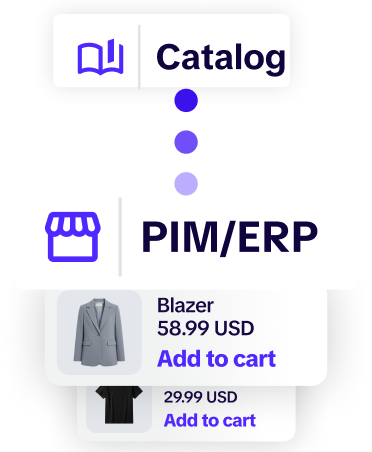
Your product data already exists. It lives in a PIM, an ERP, a stack of spreadsheets, or all three at once. The problem isn't that you lack information about your products; it's that none of it is shaped like something a customer wants to look at. A PIM keeps your data clean, structured, and accurate. But a database isn't a catalog. Somewhere between your single source of truth and the customer's inbox, that data has to become a branded, browsable, sales-ready document and for most teams, that last step is still slow, manual, and expensive.
This is the gap between PIM catalog management as it's usually practiced and what it could be. Below, we'll walk through how product information management and catalog creation actually fit together, where the handoff breaks down, and how a tool like Catalogy closes it, turning raw product data into customer-facing catalogs without rebuilding them by hand every time something changes.
Product Information Management platforms like Akeneo, Salsify, Pimcore, inRiver, and Stibo Systems exist to solve a specific problem: keeping product data consistent across every channel that consumes it. They centralize attributes, descriptions, pricing, media, and specifications so that the same product reads the same way whether it appears on your website, a marketplace, or a partner's storefront.
The core jobs a PIM handles well are product data enrichment, data governance, and syndication. Enrichment means turning a bare SKU into a complete, marketable record, adding descriptions, translations, images, and attributes. Governance means controlling who can change what, validating data quality, and ensuring nothing incomplete or off-brand slips through. Syndication means pushing finished data to the channels that need it, in the format each expects.
What a PIM does not do is design. It manages the data layer beautifully, but it isn't built to produce a polished, on-brand catalog that a sales rep can send to a prospect or a buyer can flip through. That's the boundary. Your PIM is the source of truth; the catalog is the experience. Catalog management is the discipline of reliably, repeatedly, and at scale moving from one to the other.
For most teams, the journey from PIM to catalog still involves exporting data, handing it to a designer, and waiting. The designer rebuilds a layout in InDesign or a similar tool, manually placing products, prices, and images. Then a product gets discontinued, a price changes, or a new line launches and the whole thing has to be touched again.
This creates a few predictable failures:
The root issue is that the catalog has been decoupled from the data. PIM catalog management done right keeps them connected.
The teams that feel this pain most acutely describe it in strikingly similar ways. If any of these sound like your situation, the problem isn't your effort, it's the disconnect between your data and your catalogs:
If you recognized your team in two or three of these, that's the signal. The fix isn't more discipline or a faster designer. It's connecting the catalog to the source, so updates flow automatically.
The goal is a pipeline, not a project. Your PIM holds the enriched, governed, syndication-ready product data. A catalog layer like Catalogy sits on top of it, pulling that data into branded templates automatically and keeping the resulting catalogs in sync as the underlying data changes.
In practice, a healthy PIM-to-catalog workflow, and the way Catalogy is built to run, looks like this:
This is the difference between treating catalogs as disposable deliverables and treating them as a sustainable, automated pipeline that scales as your SKU count grows.
A PIM is judged on how well it manages data. A catalog layer should be judged on how reliably it turns that data into something customers act on. When you're evaluating where catalog creation fits against a PIM, these are the capabilities that actually move the needle:
None of this replaces the PIM. It's the layer that finally puts the PIM's data to work in front of a customer.
Castelltort is a craft and hobby supply company based in Spain, selling ribbons, lace, zippers, threads, and buttons to retailers and makers across Europe. With more than 70,000 SKUs across dozens of product families and a network of 43 salespeople on the road, their catalog isn't a marketing asset; it's the backbone of how the entire sales operation runs.
Before the change, every catalog was built individually from scratch in design tools. Templates couldn't be reused systematically, salespeople carried physical sample books on customer visits, and there was no shopping functionality, no engagement measurement, and no way to connect catalog activity to actual orders. As one team member described the starting point: the company was moving 50 catalogs and tens of thousands of references out of Photoshop and manual design, a massive amount of work.
What's instructive is where they started. Before a single catalog could be generated, Castelltort invested in 9 custom templates, each designed for a specific product family. That upfront template work is the foundation, everything else runs on the same principle as building the layout once so data can flow into it repeatedly.
Their setup is genuinely complex: 5 price tiers generating 5 distinct catalog versions per product release, private access controls per customer group, and an API integration connecting their IBM AS/400 ERP directly to Catalogy. Shopping-list submissions flow from the catalog back into the ERP automatically. On retail visits, the customer browses on one tablet while the sales rep processes the order on another, with both feeds converging in the ERP. The result so far: 39 automated catalogs and €7,520 in tracked revenue an early figure from a deployment still being finalized, with infrastructure built for the full 70,000-SKU range.
The pipeline runs end to end: the IBM AS/400 ERP holds 70,000 SKUs across 5 price tiers; that product data feeds 9 templates that auto-generate 39 catalogs in 5 versions per tier; 43 salespeople present those catalogs on tablets during shop visits; and every order routes back into the ERP via API. Source data in, sales-ready catalog out, order data back—without anyone rebuilding a layout by hand.
What Castelltort proves is the shape of the payoff. Teams that move from manual catalog production to an automated PIM-to-catalog pipeline typically see the same pattern: dramatically faster product launches, far less time spent on manual data handling, and lower operational cost per catalog as volume grows. The investment justifies itself not through a single feature but through the compounding effect of never rebuilding the same catalog twice.
If you're already running Akeneo, Salsify, Pimcore, InRiver, or Stibo Systems, you've invested in clean data. The question isn't whether to add a PIM; it's how to extract value from the one you have at the point where it matters most to revenue: the catalog the customer actually sees. Catalogy is built to sit at exactly that point, turning the data your PIM already governs into branded, trackable catalogs.
A few things to look for when connecting catalog creation to your PIM:
PIM and catalog management solve two halves of the same problem. Your PIM makes sure your product data is accurate, enriched, and governed. Catalog management makes sure that data reaches your customers as something they actually want to buy from and that it never goes out of date. The teams that close the gap between the two stop treating catalogs as recurring manual projects and start running them as an automated pipeline: from a single source of truth, into branded templates, out to trackable digital catalogs that update themselves.
If your product data is already clean and your catalogs still take weeks to produce, the bottleneck isn't your data. It's the handoff. Catalogy is built to close it, so the work your PIM already does finally reaches the customer as a catalog worth reading.