
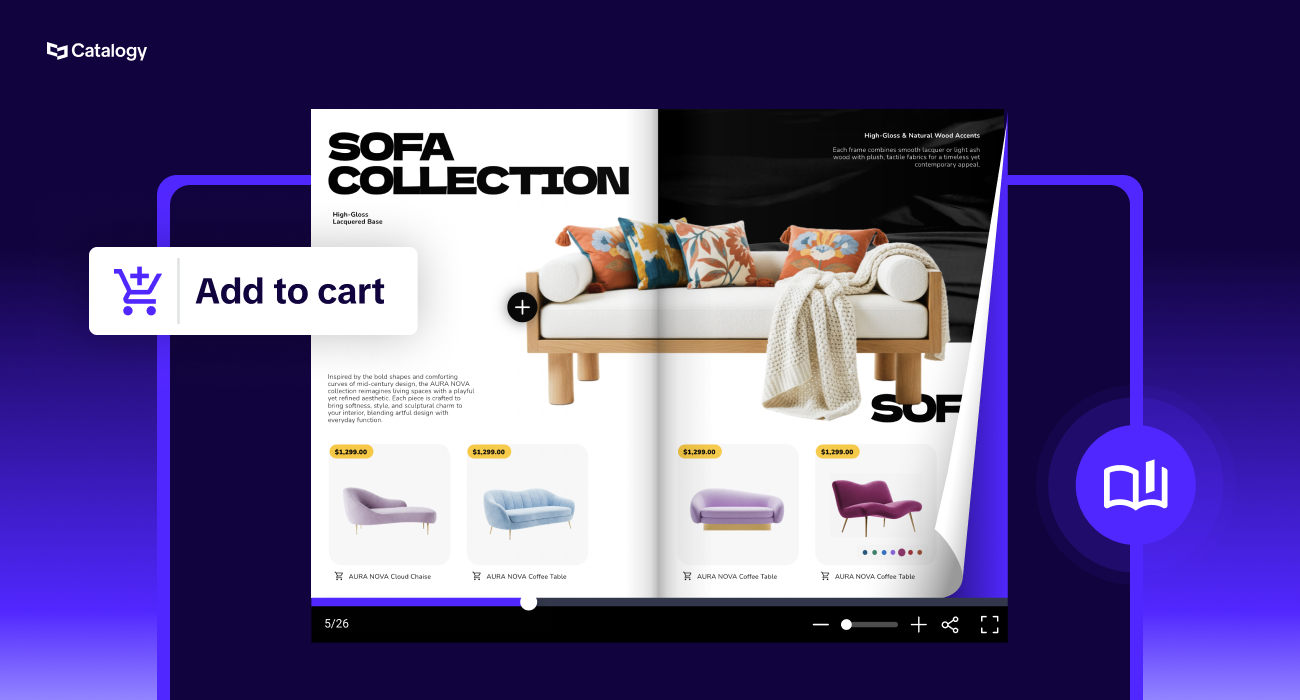
Digital catalogs improve customer ordering by collapsing everything that used to happen after browsing, finding a SKU, checking a price, emailing a rep, waiting for a quote, into a single continuous motion inside the catalog itself.
The browsing and the ordering stop being two separate systems that a buyer has to bridge manually, and become one path. That shift sounds small until you actually map out how many handoffs a typical B2B order goes through today, and how many of those handoffs are just friction with no real purpose.
This isn't the same ground as "shoppable catalogs increase engagement." That's true, but it's a different claim. This is specifically about what happens to the ordering mechanics: how a buyer moves from "I need this SKU" to "the order is placed and someone on your team knows about it," and what breaks in that chain when your catalog is a static file instead of a connected system.
Ask most B2B sales and ops teams to walk you through what happens between "buyer opens the catalog" and "order is confirmed," and you'll usually get a version of this: the buyer scrolls a PDF or flips through a spreadsheet, jots down SKU numbers on a notepad or in a separate document, opens email, and either types out an order manually or attaches a half-finished spreadsheet with product codes that may or may not match what's current. Somewhere in that chain, a rep gets pulled in to confirm pricing, confirm stock, or just answer "is this still available." Then the order gets keyed into whatever system actually processes it, by hand, by someone who wasn't part of the original conversation.
Every one of those steps is a place where an order can stall, get miskeyed, or just quietly not happen because the buyer got busy and didn't finish transcribing their list. None of that is a product problem or a pricing problem. It's a mechanical problem: too many manual transfers between too many disconnected surfaces.
The visibility gap compounds it. If a buyer emails an order form, you have no record of what they almost ordered, what they compared before deciding, or what they looked at and didn't buy. That's information your team could be using and instead it evaporates the moment the buyer closes the PDF. For teams already wrestling with large e-commerce product catalogs, this problem scales badly: the more SKUs and the more customer tiers you manage, the more manual transcription steps exist, and the more of them fail silently.
The real value of a digital catalog isn't any single feature. It's that the entire order journey happens on one surface, with no handoff between "looking" and "buying." It's worth walking through that journey stage by stage, because each stage removes a specific point of failure from the old process.
A buyer who knows exactly what they want should never have to scroll to find it. Search by SKU, product name, or category replaces page-flipping, and for a catalog running into the thousands of SKUs, this alone determines whether a buyer finishes an order or gives up. This matters even more once a catalog grows past a few hundred products, at which point manual browsing simply stops being a viable way to shop.
Stock is the one exception worth being upfront about. Most catalog setups don't run a live inventory feed, so if a buyer requests more units than you actually have on hand, that gets caught and resolved on the follow-up call, not automatically inside the catalog. That's not a flaw to hide. It's a reason the sales rep still has a job to do after the wishlist comes in, and it's worth saying plainly rather than implying real-time stock accuracy the product doesn't yet have.
Once a buyer finds the product, they need to confirm it's the right one before committing to an order line. In a static catalog, that confirmation step is where a rep gets pulled in: "does this come in the size we need," "is this the current price," "do you have stock." A connected catalog answers those questions inline, current specs, current pricing, current stock position, all attached to the product itself rather than living in a separate system the buyer doesn't have access to.
This is the step that most separates B2B ordering from a simple "add to cart" B2C purchase, and it's the one most static catalogs handle worst. B2B buyers rarely order one item; they build a list across dozens of SKUs, often over several sessions, sometimes over several days as they check with different stakeholders internally. A catalog that lets a buyer accumulate a running list as they move through the pages, and come back to that list later, replaces the notepad-and-spreadsheet approach with something that actually persists.
Different buyers want to finalize an order differently, and this is where a lot of catalog tools quietly fall short: they get a buyer to the point of having a finished list, then dump them back into email anyway. A genuinely connected catalog gives the buyer a real way to close the loop from wherever they already are.
In practice, this splits into two distinct patterns, and most sellers need to pick one deliberately rather than defaulting into the wrong one:
Pattern A: Self-serve order submission
The buyer's list goes straight into an order or fulfillment system, no negotiation needed. This fits standardized pricing, repeat orders, and lower-stakes purchases like sample requests.
Pattern B: Quote-first, rep-closed
The buyer submits a wishlist, often with pricing hidden entirely, and a sales rep calls or messages to confirm final pricing, quantities, and terms before anything is booked. This is the dominant pattern for accounts with negotiated pricing, container-level freight terms, tiered discounts, or confidentiality concerns about competitors seeing prices. The catalog's job here isn't to remove the rep from the transaction, it's to replace a cold call with a warm, pre-qualified lead that already has product intent, quantities, and contact details attached.
Both patterns run on the same Catalogy setup, not two different products. The same catalog can support self-serve submission for one segment of buyers and quote-first, rep-closed for another, and a single seller can run both at once: sample requests going straight through, full orders held for a rep, all from the same catalog and the same product feed. Which pattern applies can even be set per catalog or per audience, so a seller isn't forced to pick one posture for every buyer they have.
Either way, the list doesn't have to be manually retyped into a different tool to become a real order or a real quote request.
Where the request actually lands also matters. Wishlist and order submissions can route by email, but they can just as easily post directly into a CRM like Salesforce or HubSpot, auto-assigned to the right rep the moment a buyer hits send. For sales teams already living in a CRM, that's the difference between a catalog being a nice-to-have and being an actual part of the pipeline.
Here's the piece that gets the least attention and matters the most for repeat wholesale relationships: most B2B buyers aren't placing a novel order every time. They're reordering the same core assortment on a recurring cycle, monthly stock replenishment, seasonal reorders of the same core line, standing orders that only change slightly month to month.
A static catalog treats every order like the first one. The buyer starts from zero every time: scroll, find, note, repeat, even though 80% of what they're ordering is identical to last time.
A catalog with order history changes that math entirely. A buyer can pull up what they ordered last cycle and adjust quantities rather than rebuilding a list from scratch. This sounds like a minor convenience until you consider how much of B2B ordering volume is actually repeat business. If reordering is friction-free, buyers reorder more often and with less hesitation.
If it requires rebuilding the list every time, some percentage of those reorders just don't happen, or happen later than they should, because starting from zero is annoying enough to delay.
Jewelry retailer Pandora ran into a version of the same problem, just on the staff side of the counter instead of the distributor side. Before switching over, store staff searched through a 300-page printed catalog or the POS system to find one of over 1,500 engraving variations, often sifting through 500+ product matches for a single search term like "love" or "heart." That's the retail-floor equivalent of a buyer scrolling a static PDF looking for one SKU: technically possible, painfully slow, and a direct drag on time that should be spent with a customer.
After moving to a connected, searchable catalog (Powered by Flipsnack technology), staff found product details at least 3x faster. The catalog also stayed current automatically, since Pandora had previously needed manual sticker changes across printed catalogs six times a year just to reflect collection updates.
And the visibility gain wasn't limited to speed: during a single Valentine's Day campaign, the catalog logged 2,750 QR code scans in a few days, with customers spending an average of 2.5 minutes browsing engagement data that a printed catalog simply cannot produce.
The mechanics are the same ones this article has been walking through: search replacing manual scanning, one always-current source instead of scattered printed versions, and a data trail where before there was none. Pandora's version of this played out at the counter; the distributor example above plays out over email and phone. The shape of the fix is identical.
Some sellers can't show pricing under any circumstances, not because of tiering, but because competitors could see it. A hospitality supplier working with hotel chains put it plainly: a public catalog with visible pricing hands competitors a direct look at negotiated rates. The fix in cases like this isn't a workaround, it's a deliberate mode built into Catalogy: private, account-specific catalog links shared only with approved buyers, no pricing shown at all, and every submission treated purely as an inquiry that a rep prices manually.
This is also where gated access earns its place in the ordering conversation. Some sellers, before a buyer ever sees pricing or product availability, run an approval step through Catalogy that filters out certain buyer types entirely, so the personalized link only ever reaches qualified accounts.
This same logic extends to accounts with deeply individualized pricing, distributors managing hundreds or thousands of accounts, each with its own negotiated rate. Rather than maintaining a separate priced catalog per account, the more scalable pattern with Catalogy is one catalog, no visible pricing, and a wishlist that flows straight to the rep who already knows that account's terms.
It trades a small amount of self-serve convenience for a workflow that actually scales past a handful of accounts.
Not every product fits neatly into "browse and order." Some sellers can't sell their core product through a catalog at all, a large-format or highly customized purchase still needs a sales conversation, but they can let buyers request a sample directly through Catalogy, sometimes routed straight into a connected storefront like Shopify. That split is worth planning for deliberately: treat high-consideration, high-value items as quote-first, and let anything low-stakes enough to trial, like a sample or a starter pack, move through a fully self-serve path.
For sellers who already run order processing through EDI, a Catalogy catalog isn't meant to replace that pipe, it's meant to feed it. A buyer builds their selection in the catalog, and that selection becomes the input to the EDI order rather than a checkout transaction inside the catalog itself. This matters most for accounts managing complex packing units, multiple pack sizes, or freight terms that change the price entirely (a container picked up at origin prices differently than one delivered to the buyer's door). None of that pricing complexity needs to live in the catalog. Catalogy's job is just to get a clean, specific selection out the door.
None of this is meant to replace your order management or ERP system; it's meant to be the front door that gets a clean, accurate order to that system faster and with fewer manual steps in between.
A connected catalog can hand off into whatever you already use to actually process and fulfill orders, whether that's a direct integration through Zapier or API automation, a Shopify-connected storefront if that's part of your stack, or a straightforward sync back into your ERP system. The catalog's job in this chain is narrow and specific: get the order built accurately, with the right pricing and the right product data, and get it out of the catalog and into your systems without a human retyping it in between.
It's also worth being clear about what this doesn't replace. Distribution still matters, whether that's a catalog embedded on your own site, shared via a direct link, or handed out via QR code at a trade show.
Those are the channels that get a buyer into the catalog in the first place. What changes is what happens once they're there: instead of a dead-end document that requires a separate ordering process to actually transact, the catalog itself becomes the order intake point, and everything downstream inherits the accuracy and speed of that first step.
Not by default. Most catalog setups don't run a live inventory feed, so if a buyer requests more units than you have on hand, that gets caught and resolved on a follow-up call rather than blocked automatically inside the catalog. That's by design: it's the reason your sales rep still has a job to do once a wishlist comes in.
Self-serve submission sends a buyer's list straight into your order or fulfillment system, no negotiation required, which fits standardized pricing and repeat orders. Quote-first, rep-closed submission sends a wishlist (often with pricing hidden) to a rep who confirms final pricing and terms before anything is booked. Both patterns run on the same Catalogy setup, and you can assign different patterns to different buyer segments or catalogs.
Yes. Sellers who can't show pricing, for competitive or contractual reasons, can share private, account-specific catalog links with approved buyers only. No pricing displays, and every submission is treated as an inquiry that a rep prices manually. An approval step can also gate access so a personalized link only reaches qualified accounts.
Yes. Submissions can route by email or post directly into a CRM like Salesforce or HubSpot, auto-assigned to the right rep the moment a buyer submits. For teams already running their pipeline through a CRM, that removes the shared-inbox step entirely.
No. Catalogy sits in front of those systems rather than replacing them. A buyer's selection becomes the input to your ERP sync or EDI order instead of a checkout transaction inside the catalog itself. Complex pricing logic, like freight terms that shift with pickup versus delivery, stays in your existing systems; Catalogy's job is getting a clean, specific selection out the door.
Yes. Order history lets a buyer pull up what they ordered last cycle and adjust quantities instead of starting from zero. Since a large share of B2B ordering is repeat business, this removes the friction that causes some reorders to happen late, or not at all.
Yes. High-consideration or highly customized products can stay quote-first, while lower-stakes items, like a sample or starter pack, move through a fully self-serve path. Sample requests can also route directly into a connected storefront such as Shopify.
.png)