When marketing managers describe what's wrong with their current product catalogs, they don't talk about file formats or export settings. They talk about the experience their customers are getting, or not getting.
"Plain and simple text and picture." That's how one marketing lead described the brochures his team had been producing for years. What he wanted instead was something with "genuine immersiveness and interactivity," a way to get out of the normal way of presenting products and actually make people feel something when they browse.
Across industries, manufacturing, retail, flooring, wholesale, and consumer goods, the frustration is the same: the PDF worked when it was the only option. It doesn't work anymore. Prospects don't engage with static pages, sales teams can't personalize them, and marketing gets zero data back on what anyone actually looked at.
Converting your PDF to an interactive digital catalog isn't a design upgrade. It's a fundamental shift in how your product communication works from a document you send to an experience your customers move through.
This guide covers exactly how to make that shift: what the conversion process looks like technically, which interactive elements drive real results for B2B and retail teams, and how to go from a static PDF to a catalog your customers actually want to spend time in with Catalogy.
Before getting into the how, it's worth naming the real problem.
Most product teams export their catalog from Adobe InDesign as a PDF, optimized, well-designed, and brand-consistent. Then they send it out and lose all visibility. The PDF circulates. It gets forwarded. Someone shares a version with outdated pricing from six months ago. A new product launch doesn't make it into the file that a key prospect has already downloaded.
The pain points that marketing and operations managers consistently report:
Converting your PDF to an interactive digital catalog solves every one of these, without forcing your team to start from scratch.
The term gets used loosely, so let's be specific about what interactive elements actually matter for a product catalog in a B2B or retail context:
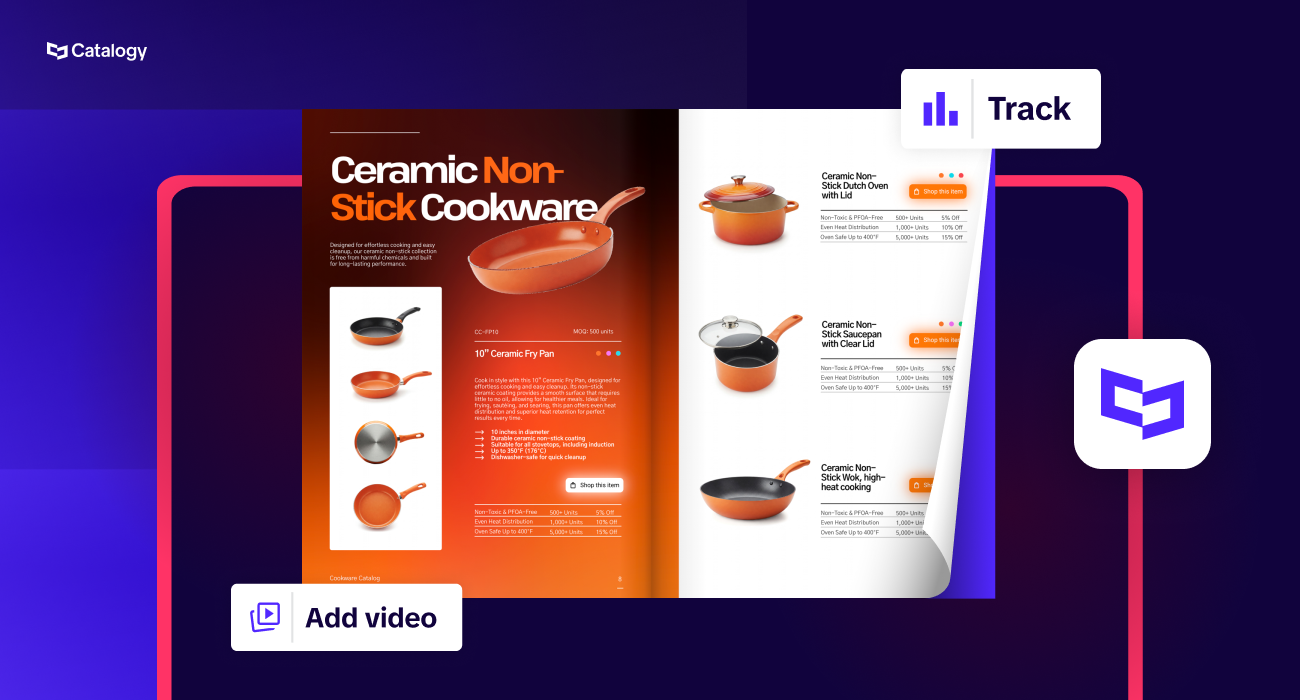
Page-flip technology gives your catalog the visual experience of a physical publication, pages that turn with realistic animation, rendered in HTML5 so they work across every device without plugins or downloads. This is the first thing your prospects notice.
Hotspots and clickable product areas let you link directly from a product image to a product page, a spec sheet, or a purchase flow, turning a browsing experience into an active sales tool.
Embedded video lets you show a product in use, a process walkthrough, or a product demo, directly inside the catalog page.
Search functionality allows a buyer navigating a 200-page wholesale catalog to find the SKU they need in seconds, rather than flipping through every page.
Analytics and tracking give your marketing and sales team page-level engagement data: which products got the most time, where readers dropped off, and what your high-intent prospects spent the most time on before the follow-up call.
Lead generation forms turn the catalog into an active top-of-funnel asset, a gated version with an email capture, or a product inquiry form embedded directly on the relevant page.
These aren't nice-to-haves. For any team managing a large SKU count or a complex sales motion, they are the difference between a catalog that sits in an inbox and one that actively contributes to the pipeline.
The conversion process is designed to be fast, even for teams without a dedicated designer or developer.
Start with a well-structured PDF. If you're exporting from Adobe InDesign, apply standard PDF optimization settings: embed fonts, flatten transparency, and compress images to a resolution appropriate for screen (typically 150–200 DPI for digital catalogs). A clean PDF structure makes metadata extraction more reliable and ensures your page layouts render crisply in the flipbook output.
If you're working from a scanned or legacy document, Catalogy handles these too, but a clean, text-based PDF gives you more control over interactivity and search functionality downstream.
Drag and drop your PDF directly into Catalogy. There's no software to install; the platform is fully cloud-based and browser-based. Catalogy accepts PDFs up to enterprise-scale file sizes, and bulk upload is available for teams converting multiple catalogs simultaneously.
Catalogy converts your PDF into an HTML5 flipbook with page-flip technology applied automatically. The platform performs metadata extraction from your PDF structure preserving your table of contents, page titles, and document hierarchy, so your readers can navigate the catalog intuitively without losing context.
The output is a fully responsive digital catalog that works on desktop, tablet, and mobile devices with no additional configuration.
Use Catalogy's branded templates to apply your color palette, logo, and typography across the catalog experience. You can set these as team-wide defaults so every catalog your marketing or sales team produces stays on-brand, without requiring a designer's sign-off on each one.
This is where the catalog shifts from a converted document to an active sales tool:
Each of these can be added without touching a line of code.
Once live, your catalog gets a shareable link and an embed code you can drop into any website, landing page, or email campaign. You can also protect it with a password for gated distribution or restrict access to specific domains for partner and distributor portals.
From the moment it's live, Catalogy's analytics dashboard tracks page views, time per page, click events on interactive elements, and reader drop-off points, giving your sales and marketing teams the engagement data they've never had access to before.
One of the most significant capability gaps in traditional PDF catalogs is the absence of a direct purchase path. A buyer reads your catalog, sees what they want, and then has to navigate separately to your website to find the product, or worse, email a sales rep to place an order.
Catalogy's Shopify integration closes that gap directly inside the catalog.
By connecting your Catalogy workspace to your Shopify store, you can embed shoppable product cards and buy buttons directly onto catalog pages. When a reader taps a product hotspot, they see live pricing and inventory from your Shopify catalog and can add to cart without leaving the publication.
For e-commerce retailers and wholesale brands running Shopify, this means your digital catalog becomes a direct revenue channel, not just a brand asset. Instead of routing your prospect from catalog → website → product page → cart, the entire path collapses into a single seamless experience.
The integration also supports real-time product data sync: when a product price, availability, or image updates in Shopify, it reflects in your catalog automatically, eliminating the risk of outdated product information circulating in old catalog versions.
This is particularly valuable for:

For teams managing a handful of annual catalogs, the value of Catalogy is immediate: faster production, better reader experience, and actual engagement data.
For teams managing dozens of SKUs across multiple regions, product lines, or sales channels, the value compounds. Catalogy's workflow is designed to scale from a single catalog to an automated pipeline where product data flows in from your PIM, ERP, or Shopify store, branded templates handle layout, and your team's role shifts from manual production to oversight and distribution.
The goal isn't just to convert a PDF to a digital catalog. It's to eliminate the "one-off catalog project" model and replace it with an infrastructure that keeps your product communication current, on-brand, and measurable without requiring a design request every time something changes.
1. Is this tool easy enough for someone without design experience?
Yes, and that's a deliberate design choice. Catalogy is built for marketers and sales ops teams, not just designers. The upload-to-publish workflow takes minutes, and interactive elements are added through a visual editor. The platform includes ready-made branded templates so your team can produce professional catalogs without touching a layout tool.
2. Will my catalog look professional enough to send to enterprise buyers?
The HTML5 output preserves the visual fidelity of your original PDF, your InDesign layouts, photography, and typography come through at full quality. Page-flip animations are smooth and realistic. The output is genuinely comparable to what a developer would build from scratch, which is the point.
3. Can I see who viewed my catalog and what they spent time on?
Yes. Catalogy's analytics dashboard gives you page-level data: views per page, average time spent, click activity on interactive elements, and reader-level tracking when your catalog uses a lead capture gate. For sales teams, this means going into a follow-up call knowing exactly which products a prospect engaged with most.
4. How do I share the catalog with customers and keep it from becoming another attachment that gets lost?
Catalogy gives you a direct shareable link, an embed code for your website or landing page, and the option to distribute via email with tracking. No attachment required. When you update the catalog, the link automatically points to the new version, meaning outdated copies stop circulating the moment you publish a change.
5. Can I update the catalog after it's already live without republishing everything?
Yes. Catalogy supports live editing after publication. You can update pricing, replace product images, or add new pages without generating a new link or requiring your distribution list to re-download anything. For teams managing large SKU counts or frequent seasonal updates, this is a significant operational improvement over the PDF-and-reattach workflow.
6. Is my PDF data secure on Catalogy's servers?
Catalogy uses cloud infrastructure with enterprise-grade security standards, including encrypted storage and secure access controls. Password protection, domain restriction, and user-level access permissions are available on business and enterprise plans, relevant for teams distributing catalogs with sensitive pricing or unreleased product information.
7. Can I see who viewed my catalog? Yes. Catalogy's analytics dashboard gives you page-level engagement data: which pages were viewed, how long readers spent on each one, and where they clicked. For gated catalogs with a lead capture form, you get reader-level tracking so your sales team can go into a follow-up call knowing exactly which products a prospect spent the most time on.
8. Will readers on mobile see it correctly?Yes. Every catalog published through Catalogy is fully responsive by default. The HTML5 output adapts to any screen size desktop, tablet, or mobile with smooth page-flip navigation and readable text without zooming. No app download, no plugin, no separate mobile version required. Your readers get the same experience regardless of how they access it.